



MembershipWorks is proud to announce our new Squarespace announcement board! An announcement board is a virtual bulletin board or notice board where website visitors can post information to your website. Administrators can choose which notice boards can be viewed publicly or only seen by website members.

Why Add a Squarespace Announcement Board?
Announcements can be a meaningful addition to a Squarespace site. Site owners can profit from selling announcement listings or can build community by offering free listings. Some of the reasons site owners add an announcements feature to their website include:
- They seek to create a community hub for a school, town, nonprofit, religious group, or other organization
- They hope to earn money by selling announcement listings
- They already post announcements on their site manually and prefer to reduce administrative tasks by empowering their website visitors to post and edit their own announcements.
Uses for the Squarespace Announcement Board
You may have seen a real bulletin board at a grocery store or neighborhood activity center. An announcement board is a virtual bulletin board, but can reach a much wider audience. Adding an announcement board from MembershipWorks to your Squarespace website gets you up and running quickly without coding. See what a Squarespace Announcement Board looks like. You can set up one board or make many boards for announcements such as:
- Offers of service (e.g. house sitting, child care, pet watching, yard work)
- Grand openings
- Business open houses
- Ongoing volunteer opportunities
- Calls for proposals (RFPs)
- Career moves
- Requests for help
- Coordinating carpools
- Event notices
- Lost and found items
What to Look for in a Squarespace Announcement Board
The capabilities you should look for when choosing an announcements board extension or announcement board plugin will vary depending on your organization’s needs. Here are some essential features to consider:
- Make sure the board is compatible with Squarespace
- Enabling admins to screen announcements prior to posting
- Control over who can post announcements
- Ability to monetize announcements by charging for posting announcements and/or for viewing them.
- Ability to upload a picture to a listing
- A method of categorizing, labeling or tagging announcements so that the listings can be easily sorted by site visitors
- Be sure the board is mobile-friendly
- Be sure that the board has some controls so that it does not encourage spamming
Ways to make money with a Squarespace announcement board:
- Charge a posting fee for users to create announcements
- Only charge non-members for posting announcements or offer a discounted posting rate for members
- Only permit members to create announcements as a membership benefit (charge for membership)
- Only allow members to view announcements (charge for membership)
- Upsell higher-priced membership levels by including the opportunity to post announcements for free or at a discounted rate for those levels
 What to Expect from a Squarespace Announcement Board
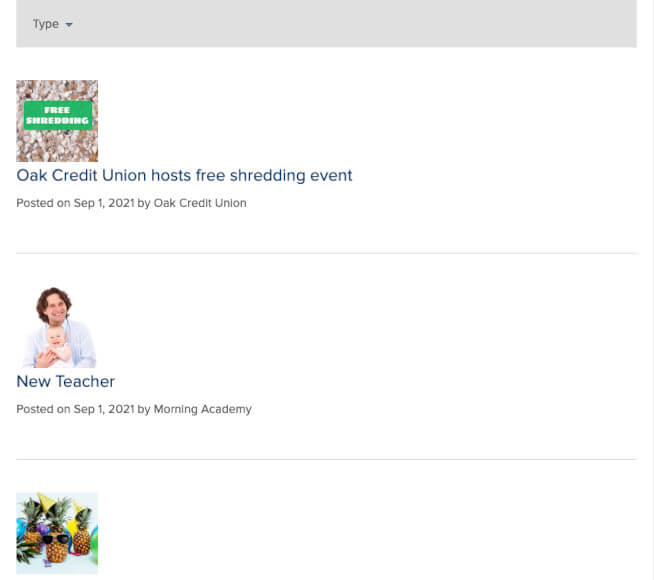
The main thing you should expect to see with an announcement board extension would be the announcement listings themselves. They’ll appear in a list board format as shown here. Admins and site visitors should be able to edit and manage their listings. A full list of features in the MembershipWorks Announcement Board for Squarespace can be found here.
Mobile friendly
MembershipWorks’ announcement board is designed to be mobile responsive, so it scales to fit the screen size of the user. So whether your site visitors are on smartphones, tablets or desktops, they all have the same great experience.
Spam unfriendly
The Announcements Board is easy to protect against spam postings. You can add layers of spam prevention including:
- You can require users to create an account to create postings. Accounts can require payment and/or admin approval.
- You can also optionally require admin user approval for each announcement before they are posted on the site.
How to Add an Announcement Board to Squarespace
- Sign up for a MembershipWorks account; watch for an email with more instructions. The Plan 300 plan will allow you to have up to 300 accounts that can add and manage their listings.
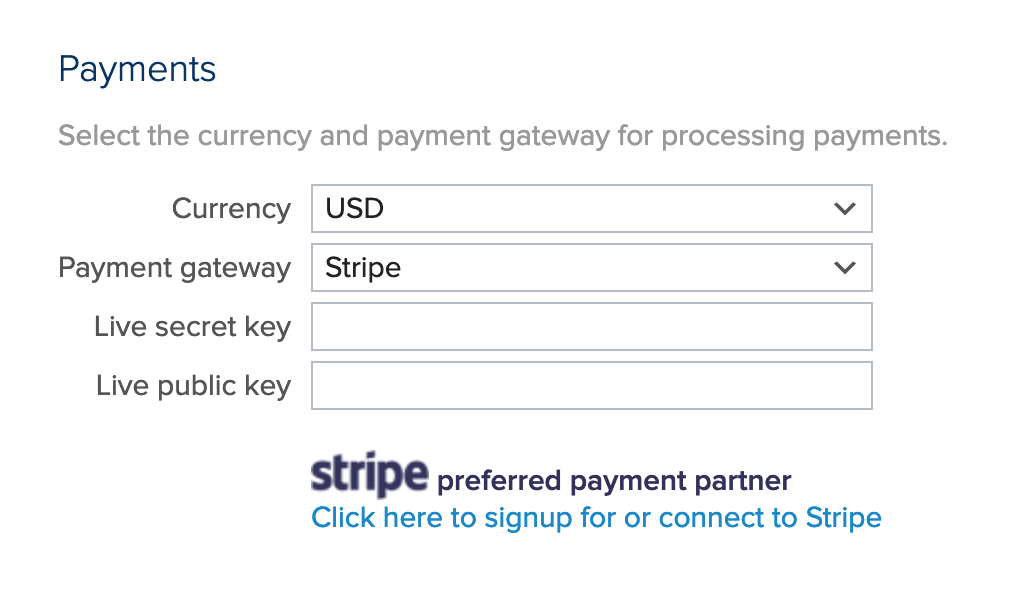
- If you are collecting funds for announcement board posts or memberships, set up your payment gateway in MembershipWorks.
- If you require membership to add or view the job listings, set up your membership levels.
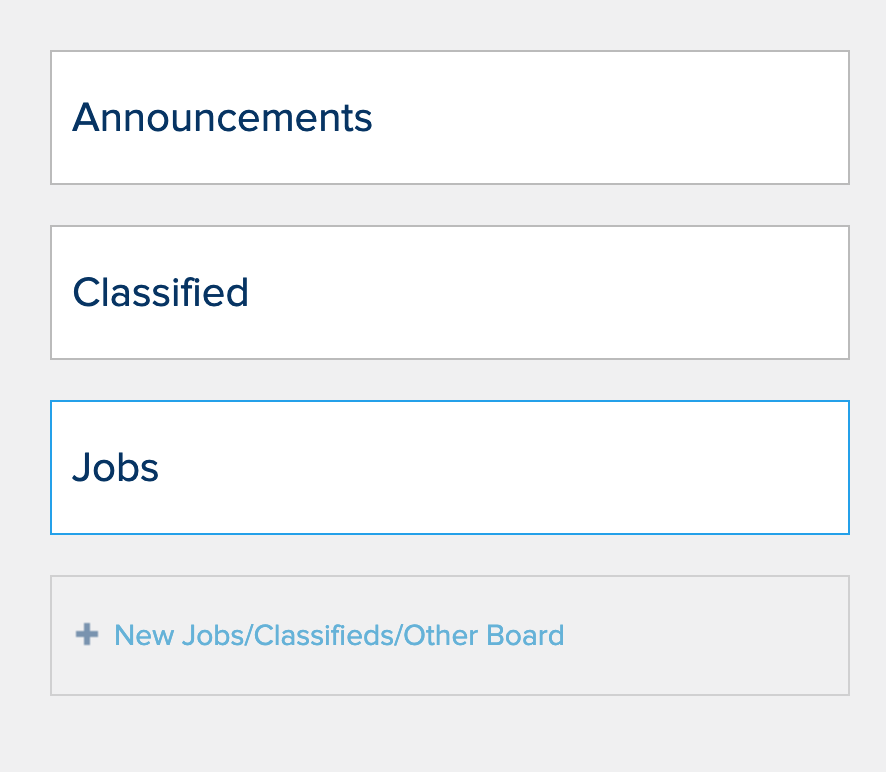
- Next, go to Jobs/Other Boards and create a new Announcement Board. The announcements board form template is pre-populated with the fields but you can add, edit, and remove fields as well.
- From the board’s Dashboard > Embed button, you can copy and paste code snippets.
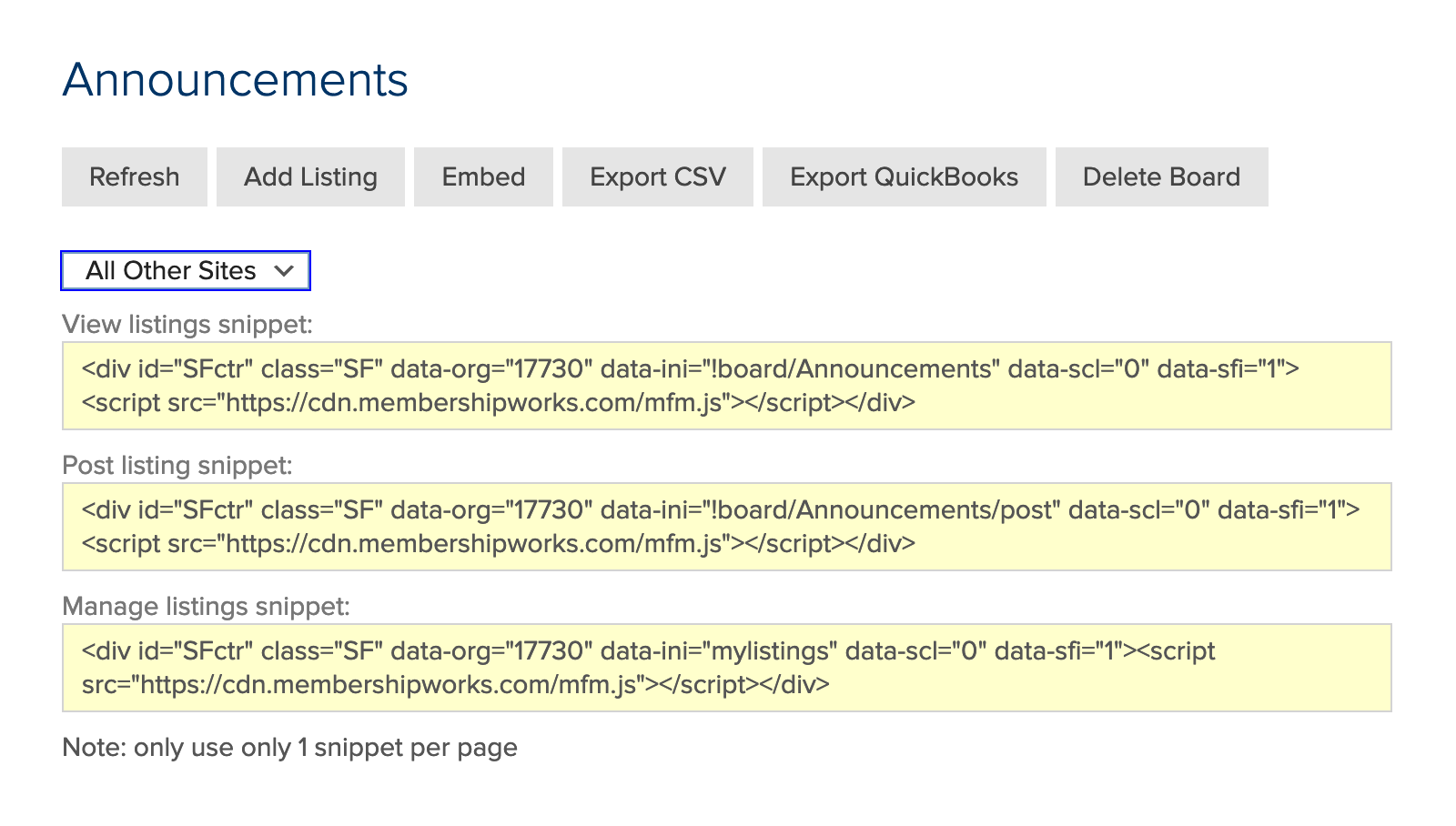
Use the “All Other Sites” option in the dropdown — to embed on three new pages you build for web site visitors to:- Post announcements
- View announcements
- Manage their announcements
Test before you announce your announcements board!
Before spreading the word about your board, it’s important to test out the announcement posting process (and if applicable, your member sign-up process) to make sure that everything goes smoothly. For example, if you are charging for membership or postings, be sure the money makes its way to your payment gateway. Try adding a listing, then log out and log back in to edit that listing.
It’s also a good idea to have some listings already on the board before you announce it. That way the board appears active and interesting. You can ask friends, colleagues, or board members to help you out with these first announcements.
How to use an announcements board on Squarespace
Once you have the board and running, administrators can easily log in to approve, edit or remove listings. Admins can type in their email address to receive notification when a new post is made. Those who post announcements can also log in to edit or cancel their listings as well.
The announcement board management is separate from Squarespace and doesn’t require a Squarespace login. This allows you to put someone else in charge of managing your board without providing access to the back end of your website.
Final Thoughts on the Squarespace Announcement Board
MembershipWorks offers a wide array of features beyond its announcements board. MembershipWorks’ is a fully-featured membership plugin for Squarespace, so its other capabilities are available at no extra charge when you are on a paid plan. You’ll be able to easily add the following features to Squarespace with MembershipWorks:
- Members only content
- Member directories (which can be public or private)
- Membership management, including renewal notices, auto recurring payments, and more
- Event calendar with online event registration
- A community calendar where members can post events
- Forms
- Shopping carts and donations
- Job listings boards
- Classified ad listings
Squarespace Announcement Board FAQs
A Squarespace announcement board or bulletin board creates a space where your members or site visitors can spare information with each other.
Also see:
Comments are closed.