



MembershipWorks is proud to announce our new Job Board plugin for Squarespace. Many organizations pick Squarespace because it’s easy to use. But it doesn’t always offer all the features you need. That’s where the MembershipWorks job board comes in; you can add a job bank to your site without knowing any code.
Why Do You Need a Squarespace Job Board?
Adding a job board to your Squarespace site can help your organization become a career hub for job opportunities. Associations and trade groups often publish a career page for their members. There are a variety of benefits a job board can offer:
- You can earn money by charging employers to list jobs in the job board. With employers having a large number of vacancies to fill after the “Great Resignation,” they are looking for more opportunities to reach candidates. This is especially true if you have a niche audience of job seekers.
- An organization with a job board is more likely to retain members. Job leads directly impact members’ pocketbooks.
- If you’ve been manually posting job listings to your website, this method provides automation tools to enable employers to add, edit, and remove listings themselves.
- You can restrict the ability to post and/or view job listings to members only. In this scenario, you’ll be making money by charging for memberships. Having a job bank that is tied to a membership plugin enables additional revenue streams.
Squarespace Job Board Features
There is not a huge list of job boards that work with Squarespace. The ones that are available are not all built alike, so it’s a good idea to create a list of features that are “must have” versus “nice to have.” This list may look different for every organization. Read on to learn more about the MembershipWorks Job Board for Squarespace. See what a Squarespace job board looks like.
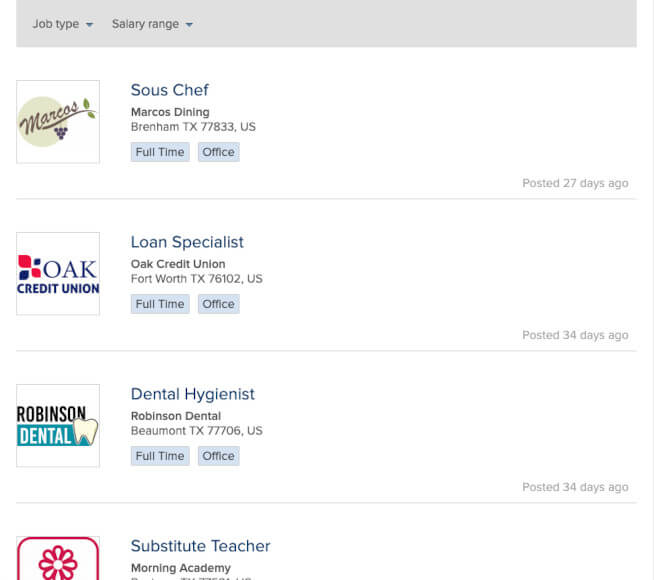
Easily customizable
Administrators can easily add and remove fields. Admins can also generate tags to customize the board to the industry they are targeting. For example, a job listings board hosted by a chamber of commerce may create tags related to the specific types of industries and employers that are present in their region. These tags can then be added to their job listings page to allow applicants to quickly locate relevant listings.
Mobile responsive
It’s critical that a job bank is viewable on smaller devices as most web traffic is mobile these days. MembershipWorks job bank for Squarespace scales to the size of the device being used. The employer dashboard, job listings, and the admin controls can be viewed on the full range of screen sizes.
Coding skills not required
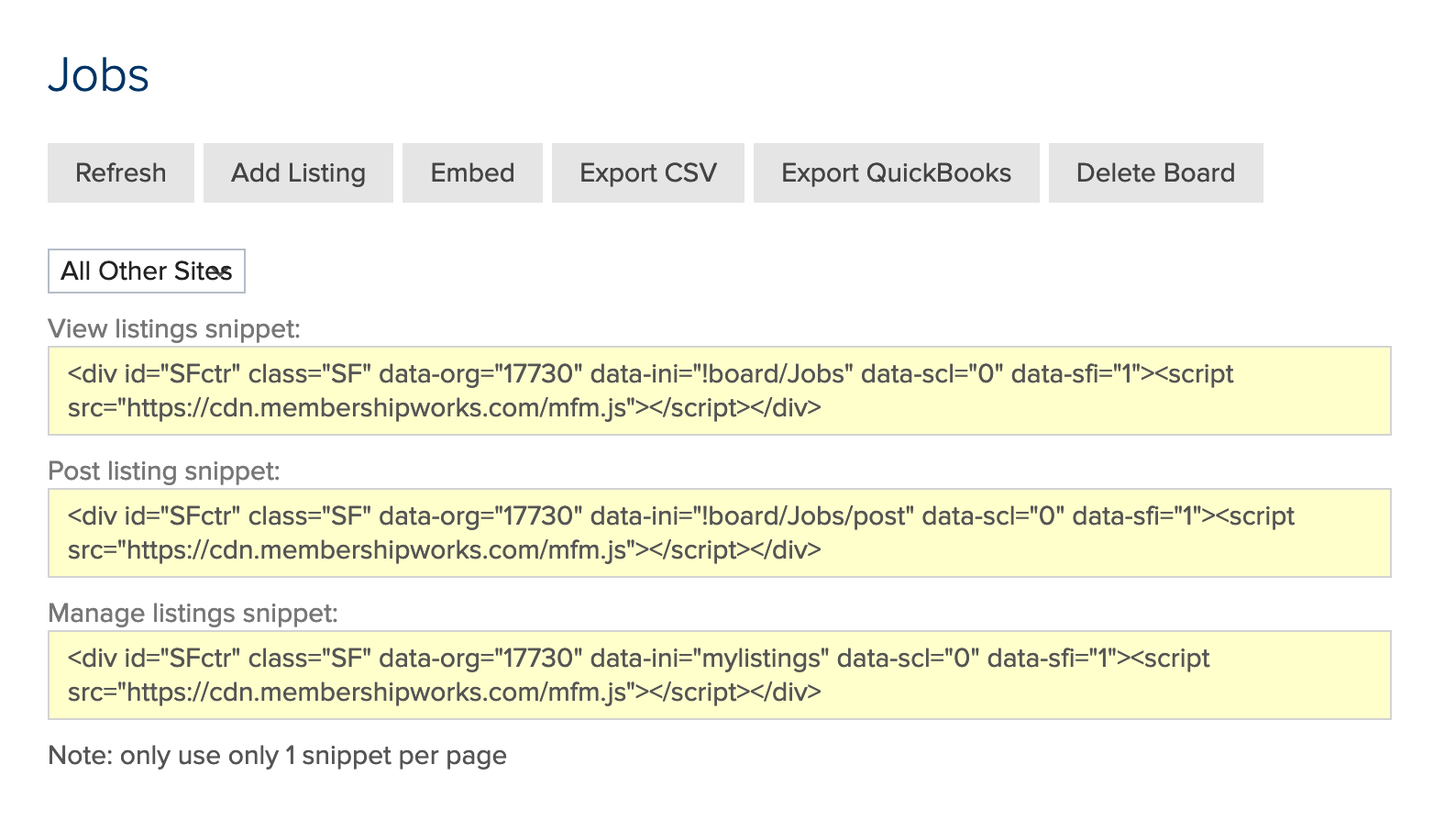
Installing a jobs board shouldn’t require a high level of technical skills, and thankfully MembershipWorks provides snippets for simple copy-and-paste implementation. You will need to build at least three pages on your site for your job bank. The snippets will generate the content for these pages:
- Listings page for members or the public
- Employer job bank submission form page
- Listings management page with login
What Makes a Squarespace Job Board Special?
Although some job boards only offer job board-related features, the MembershipWorks job board also provides a built-in membership management system. The seamless integration with a membership platform allows the job board to generate non-dues revenue and creates additional value for organizations that already have members.
Job Board Setup Tips
Create an apply link to direct website users to the page that collects resumes or CVs
With the MembershipWorks job board, you’ll automatically have a field for employers to enter job application links. If an employer doesn’t provide a link, the employer should be sure to include information in the job description as to how and where to apply.
Showcase job postings in the most detailed way
Detailed job postings are more likely to get applicants than job listings that are short on details. Admins can use the default job posting fields or they can add additional fields to get further information from employers for more thorough listings. Including fields that ask for details helps candidates make better judgements about opportunities. Most employers will have a summary block of information that they can copy and paste into the form to tell more about the job or their company, so it’s typically not a lot of extra work for them to share additional details.
Add as many jobs as you wish
Having a large number of job listings attracts prospective employees looking for job leads as well as employers. With this in mind, it’s a good idea to allow employers to list jobs at no charge initially. This way employers see that it is a true job board that is worth their investment if you start charging for listings later. Start promoting your job board to employers first. You can allow them unlimited free listings for a given time period and then begin charging for listings at some point. Your second promotional effort should be to prospective employees so that you create eyeballs for the job listings.
Add information about the job: salary, job title, and required skills
Employers should be encouraged to fill in as much information as possible about their jobs. The MembershipWorks job board includes fields for salary range, job title, requirements, and more by default. Including this information in their job board posts helps both the employer and candidates save time by discouraging unqualified applicants or those with higher salary demands. Additionally, job screening conversations can get to the point faster or be avoided altogether when more information is disclosed up front.
It also doesn’t hurt to include information about company culture in the job description. For example, some candidates may not be looking for a “fast paced, deadline driven environment” while others may thrive in that scenario.
Give information about your business: department, name, and location
Employers at times forget important information when searching for new hires. They might list their corporate headquarters location and neglect to mention that the job position they are hiring for is actually a field office or is remote. Including the business name and department helps a candidate do more research before applying or attending an interview. Job board admins can make these fields required to increase the value of the listings.
How to Add a Job Board to my Squarespace Web Page?
Adding a job board to a Squarespace site with the MembershipWorks plugin is simple. It’s ready to go “out of the box,” but you can customize it to your organization’s needs if you wish. The steps involved are:
- Set up an account with MembershipWorks.
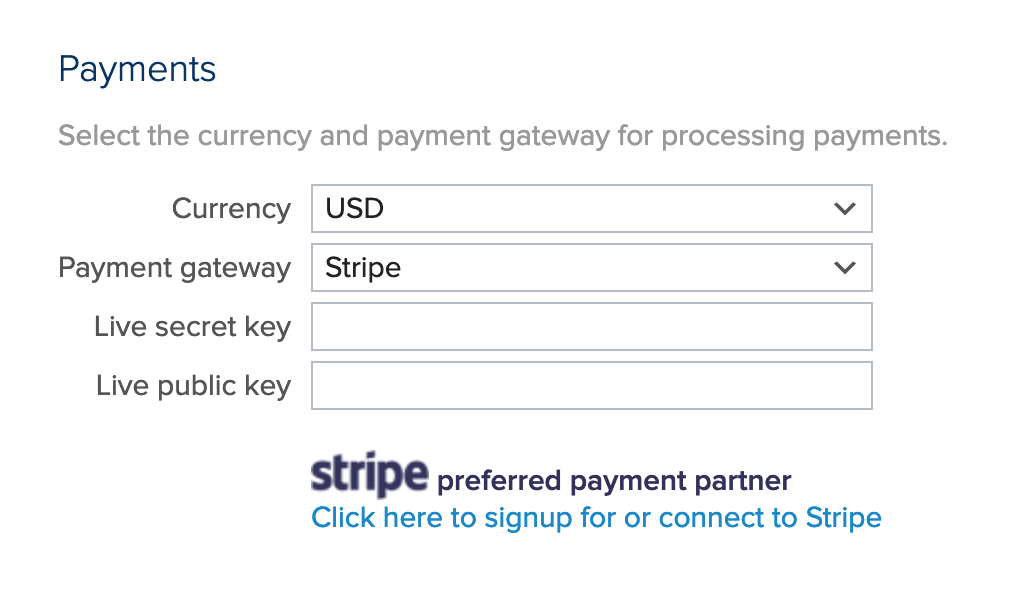
- Enter your payment gateway information in MembershipWorks > Organization Settings if you plan to collect funds online (this step is needed if you are taking payments for job listings and/or memberships).
- Optionally create membership levels (set prices, set billing options, system emails, etc.) in Labels & Membership and add the membership sign-up snippet to a page on your site. This step is applicable if you are requiring membership to view or post job board listings.
- Create a job board under Jobs/Other Boards.
- Add the job bank snippets to the three pages on your site (snippets can be found under your job board’s Dashboard within the Embed tab).
- Add a member manage account snippet to another page if you require membership to access the job board. Members will be able to login and use this page to manage their membership and edit their profile.
You can optionally customize the job board plugin by adding, editing, and removing fields. Admins can also create tags to classify jobs. Finally you can edit the system emails that are sent instead of using the default messages.
Squarespace Job Board Plugin
As Squarespace doesn’t have a job board feature, using a job board plugin is a good workaround to add this functionality to your website. Not all job board plugins are created equal, so do your homework regarding the features that each plugin offers. Beyond the basics, a great job-board solution includes:
- Listings Management – Employers may want to go back to edit or remove their listings without asking an administrator with the organization to take care of it.
- Job Categorization – Job hunters appreciate categorized job listings so that they don’t have to scroll through all of the listings to find the ones that interest them. For example, you could categorize jobs by: industry, location, job title, or other factors.
- Monetization – Make money either by charging employers a listing fee and/or by restricting the ability to see listings to only paid members. Consider the downsides with both choices; you may have less job postings or fewer eyeballs on your job listings.
- Field Customization – While it’s nice to have a job bank that’s ready to go “out of the box,” some organizations will want to be able to add fields that pertain to their industry.
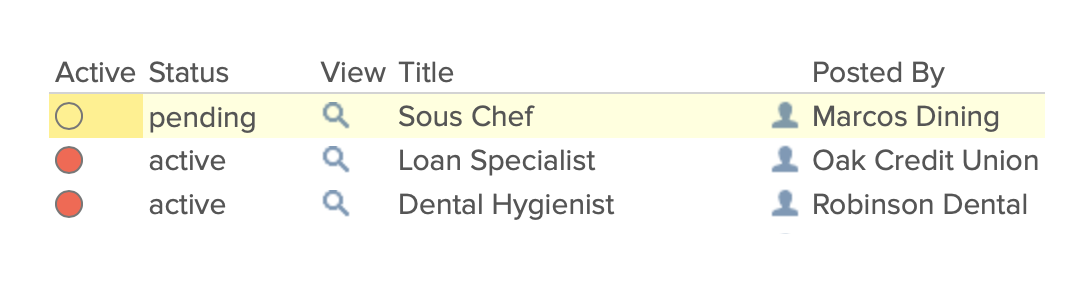
- Admin screening – To maintain high quality listings on your board, you can enable an approval process where admins screen listings before they are posted. Admins should be able to add, edit, and remove listings.
- Stats for Employers – Recruiters love being able to see how many views and clicks their listings have.
- Automatic expiration – Job applicants can feel discouraged from applying when they see old listings. To avoid this, admins can set job posts to automatically expire after a certain number of days.
- Accounting system integration – With MembershipWorks you can export transactions related to the job bank to Quickbooks or Xero.
- Card on file payment – Employers who are frequent job bank posters will save time with the ability to charge their card on file for each job listing (this feature is only available for organizations using Stripe or Authorize.net as their payment gateway). This ease of use may encourage them to post jobs more often.
- Design – Look for job boards with the ability to have a responsive design on Squarespace. See a sample board.
- Support – Often plugins do not come with support, or when support is available it can take an extended period of time to get an answer. The MembershipWorks Job Board plugin offers unlimited free support by phone, email, and live screen share training.
- Stability and security – When you use a SaaS (software as a service) plugin like MembershipWorks, your job bank data is safely stored and managed for you. This can give you more peace of mind, especially if the job bank is a mission-critical source of revenue or an important member benefit.
- Multiple admins and secondary admins – The primary admin can decide to grant access to the back end of the job board to additional administrators. This can help delegate tasks like job board post approval. These secondary admins can have more restricted access to only see parts of the system without having access to the payment gateway setup or other controls.
See the full list of features.
Squarespace Job Board Frequently Asked Questions
Also see:
Comments are closed.