

Add a customizable and searchable directory to your Wix website with or without a map. While Wix doesn’t inherently provide a member directory feature, you can easily add one to your site with MembershipWorks.
In this guide, we’ll delve into:
- How to add a directory to your Wix website
- The benefits of a Wix member directory
- Reasons to incorporate a business directory on your Wix site
- Customizing your Wix directory
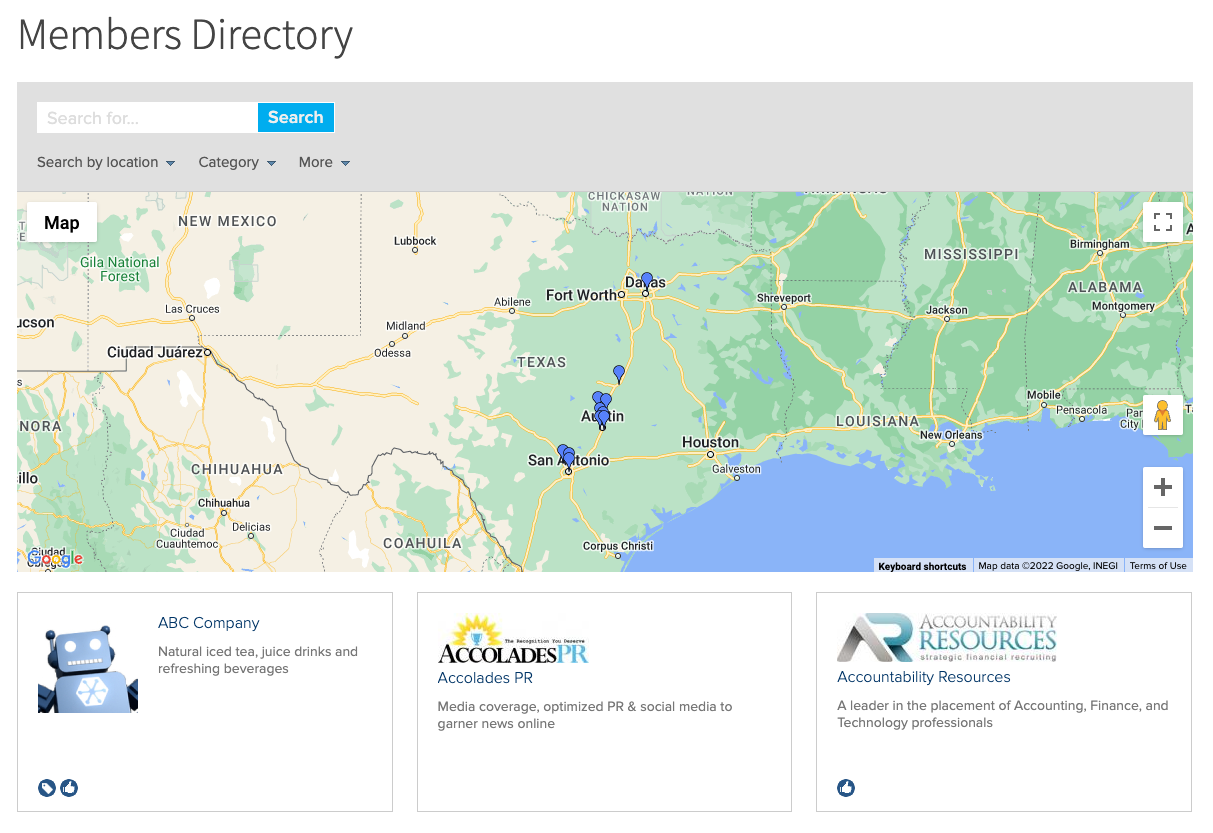
Explore a sample Wix directory site.
How to add a directory to your Wix website
Integrating a directory into your Wix site is simple with MembershipWorks. Things to note before you get started:
- You’ll need a paid plan with Wix.
- This app does not tie into your customer or member list in Wix. View it as a separate system to bill and manage members.
If you get stuck at any point during the process below, reach out to MembershipWorks for a free screen share training session, phone support, or email support. Follow these steps:
- Sign up with MembershipWorks. There’s a free plan for those with 50 or fewer members.
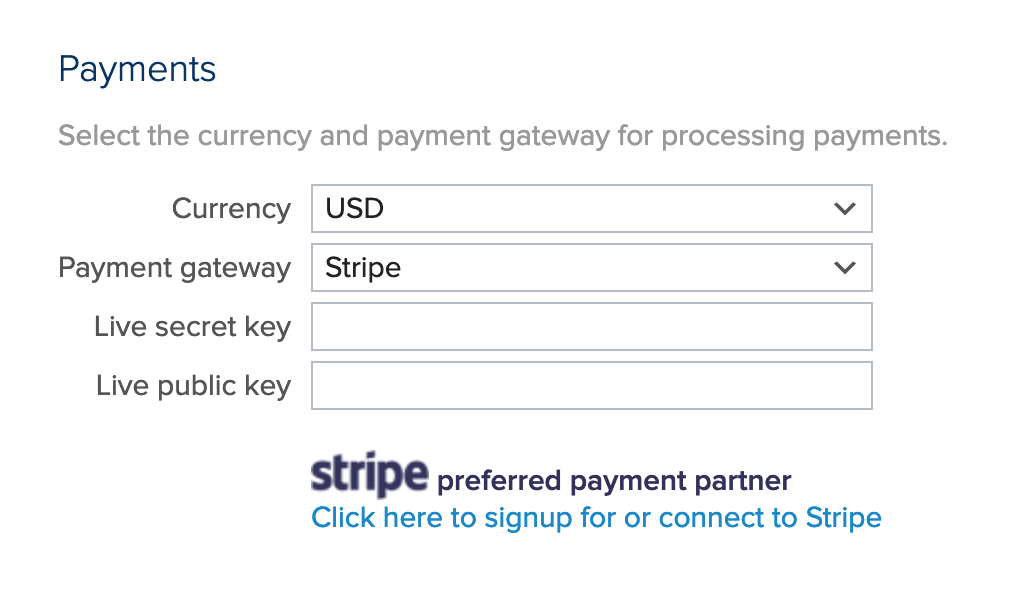
- Set up your payment gateway if you plan to charge for directory listings or memberships.
- Configure your listing options, specifying which memberships include directory listings.

- Create a new page on your Wix site for the directory. See instructions for initial setup of MembershipWorks within Wix.
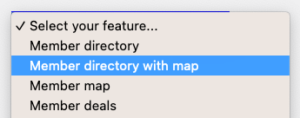
- Go to MembershipWorks > Help > Basics & Setup > Squarespace, Weebly, HTML5 > HTML5 Snippets. Select the member directory feature and copy the code snippet. You can choose to display a directory with a map or without a map. Paste the snippet into Wix (see details on this process). Publish your page.
- Add directory listings manually through MembershipWorks or import them via a .csv file.
- Create a sign-up page on Wix. Once again, you’ll tie it to MembershipWorks by copying a code snippet from the Help section and pasting that in your Wix editor as did in Step 5. The snippet you’ll want for this page is called “membership sign-up form”. Example snippet:

- Similarly, create a profile management page on Wix and embed the code snippet for “member sign-in and manage account”.
- Include links to these three new pages in your Wix site navigation for easy access.
The benefits of a Wix member directory
Incorporating a Wix member directory by using a membership app can help create connections between members, clients, or customers. Additionally, adding a directory on your Wix website can provide you with:
- Monetization opportunities: You can monetize directory listings by selling directory listings or memberships that come with a listing.
- Revenue generation: Valuable member data can be monetized by charging for access to the directory, such as lists of approved vendors or professionals with specific qualifications.
- Effective member categorization: Different directories can be created for members in various industries or membership tiers. For example, an association could have a directory page that only lists members who have a certain professional credential.
Reasons to incorporate a business directory on your Wix site

-
- Increased site traffic: Directory listings often attract visitors to your Wix site, boosting overall traffic and engagement.
- Enhanced member engagement: Directories serve as valuable networking resources, fostering connections and referrals between members.
- Improved member retention: Members contacted through directory listings are more likely to renew their memberships, making directories effective tools for member retention.
- Up-to-date member data: Directory listings encourage members to keep their information updated, reducing manual data management efforts and ensuring accurate records.
- Streamlined administrative tasks: Directory plugins empower members to manage their profiles, reducing administrative workload.
Customizing your Wix directory
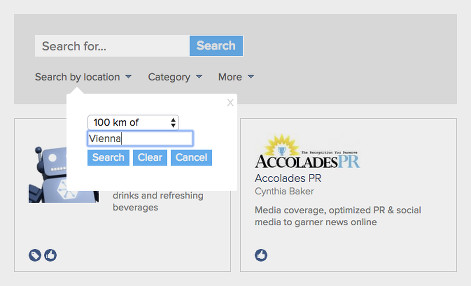
After installation, consider customizing your Wix directory presentation or search functionality. Note that you can make your directory only viewable by members or viewable by all your website visitors.
- Add tags or labels: Identify members by credentials, industries, service types, and more.
- Implement filtering and search options: Enable search by labels or custom fields, and decide on measurement units for location searches.
- Enable self-tagging: Allow members to add tags/labels to their profiles.
- Incorporate custom fields: Customize the sign-up process and display additional fields in directory listings.
- Create specialized directory pages: Develop separate pages for each membership level or tag for enhanced organization.
See customization instructions.
Call or email for free support or to request a free screen share training session.
Comments are closed.